LoopmaatPaceling

Je hardloopcoach. Altijd op tempo.

Your running coach. Always on pace.

Vertel wat je wilt bereiken en Apple Intelligence maakt een schema dat past bij je conditie en je week. Op de loopband regelt de app snelheid en helling voor je, en je Apple Watch houdt je met trillingen op tempo.

Say what you want to achieve and Apple Intelligence builds a plan that fits your fitness and your week. On the treadmill the app sets speed and incline for you, and your Apple Watch keeps you on pace with taps on your wrist.

Download in de App Store iPhone & Apple Watch Download on the App Store iPhone & Apple Watch
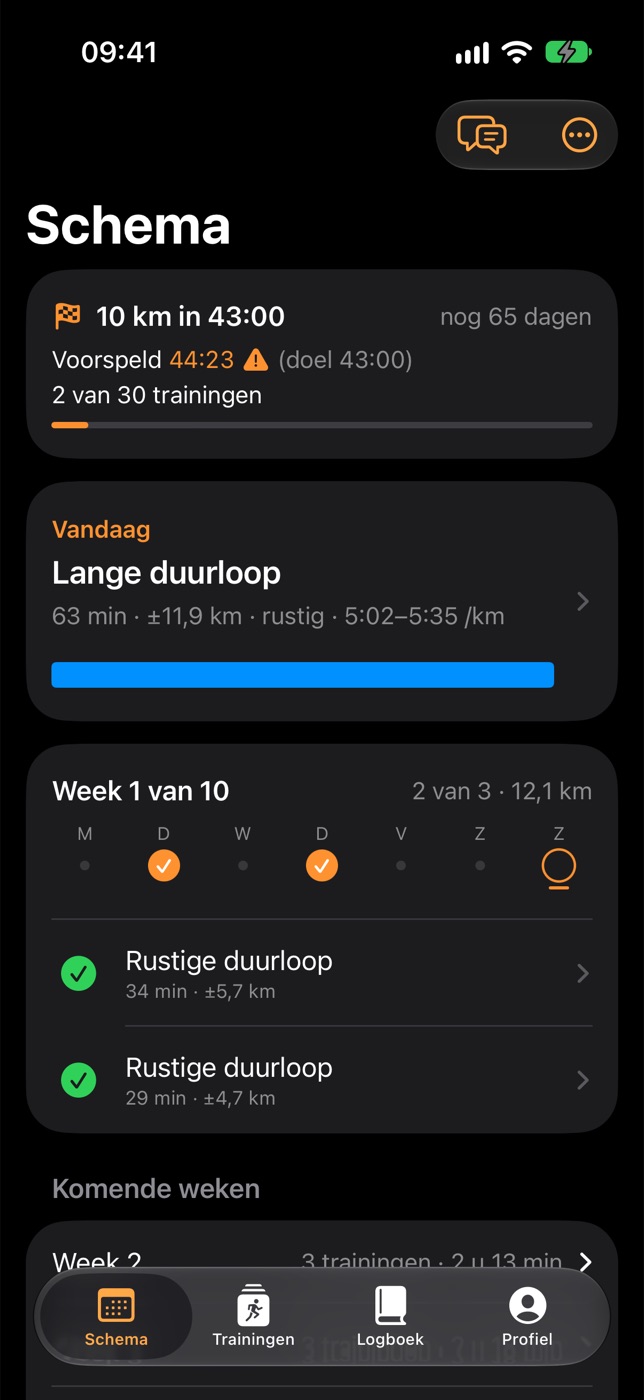
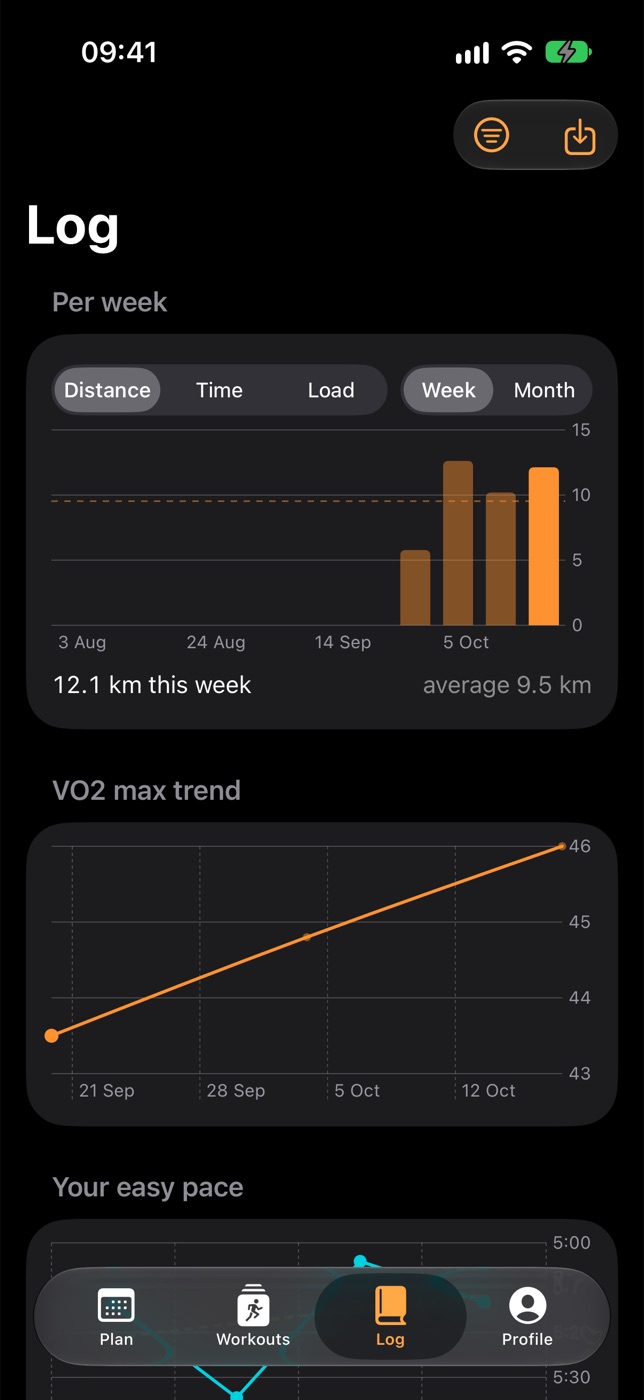
Loopmaat op de iPhonePaceling on iPhone

Jouw doel, jouw schema

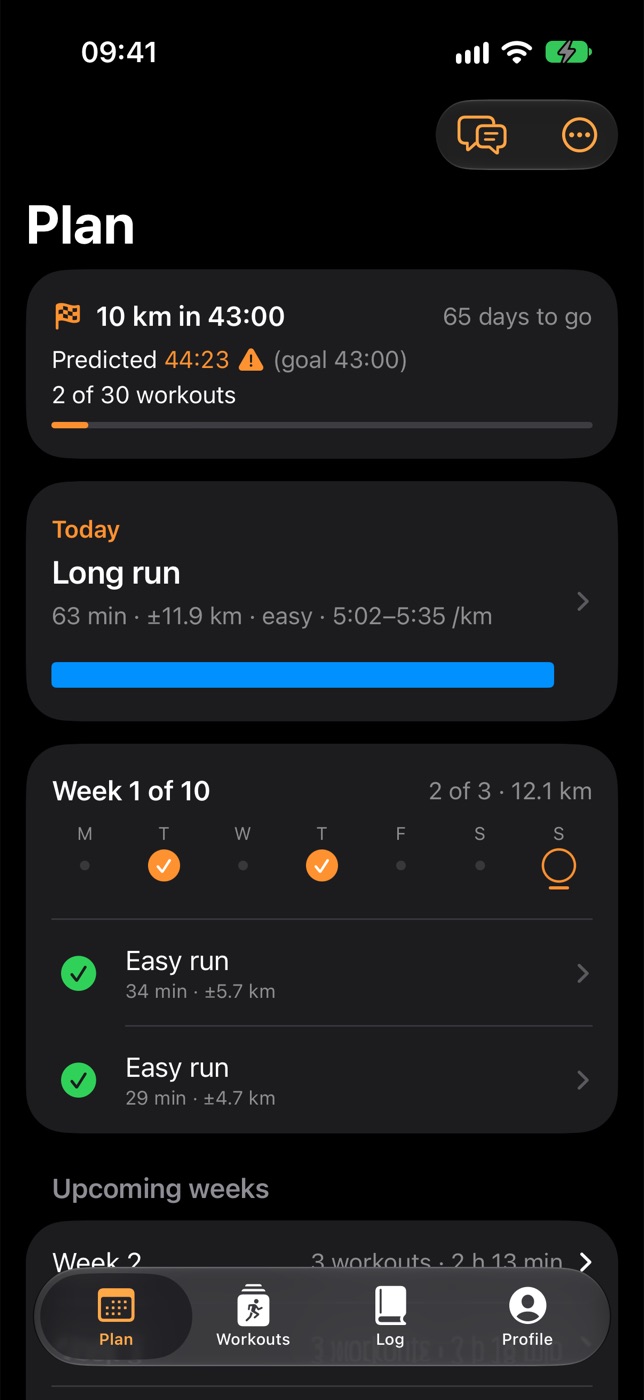
Your goal, your plan

Van je eerste 5 km tot een marathon: de coach rekent je doel na en bouwt het schema om je week heen.

From your first 5K to a marathon: the coach checks your goal and builds the plan around your week.

✨

In je eigen woorden

In your own words

Typ wat je wilt, zoals "10 km onder de 50 minuten in maart". Apple Intelligence maakt een schema dat past bij je conditie en je loopdagen.

Type what you want, like "10K in under 50 minutes in March". Apple Intelligence builds a plan that fits your fitness and your running days.

🎯

Eerlijk over haalbaarheid

Honest about what's realistic

De app voorspelt je tijden uit je VO2max en kijkt of je doel op tijd haalbaar is. Zo niet, dan krijg je een realistisch alternatief.

The app predicts your times from your VO2max and checks whether your goal is within reach in time. If not, you get a realistic alternative.

🫁

Start met een test

Start with a test

Een oplopende test op de loopband of de Cooper-test buiten bepaalt je VO2max. Of gebruik een schatting uit je eerdere runs.

A ramp test on the treadmill or the Cooper test outdoors sets your VO2max. Or use an estimate from your earlier runs.

πŸ”„

Een schema dat meebeweegt

A plan that moves with you

Mis je een dag, dan schuift het schema door. Verschuif, sla over of maak een training lichter, en na je runs werkt de app je tempo's bij.

Miss a day and the plan moves along. Postpone, skip or lighten a workout, and after your runs the app updates your paces.

πŸ’¬

Vraag de coach

Ask the coach

Stel een vraag over je schema, je runs of je doel, of laat de coach een week omgooien naar jouw wensen.

Ask about your plan, your runs or your goal, or have the coach rework a week the way you want it.

πŸƒ

Losse trainingen

Single workouts

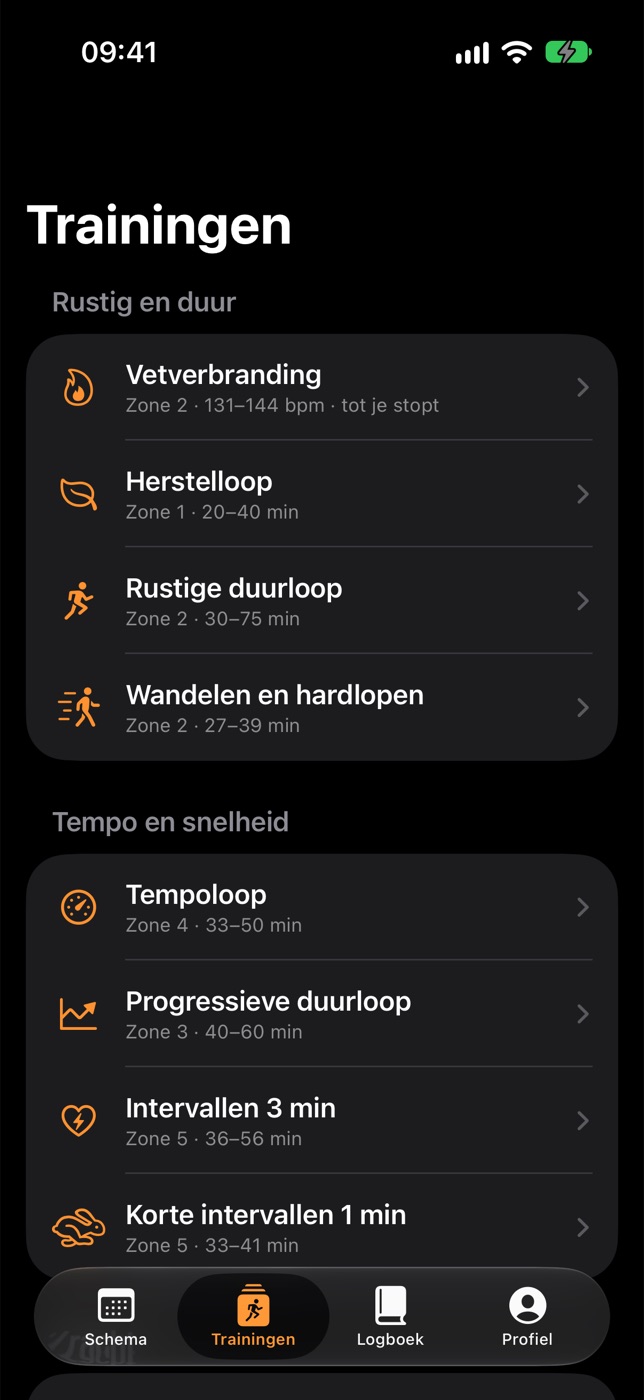
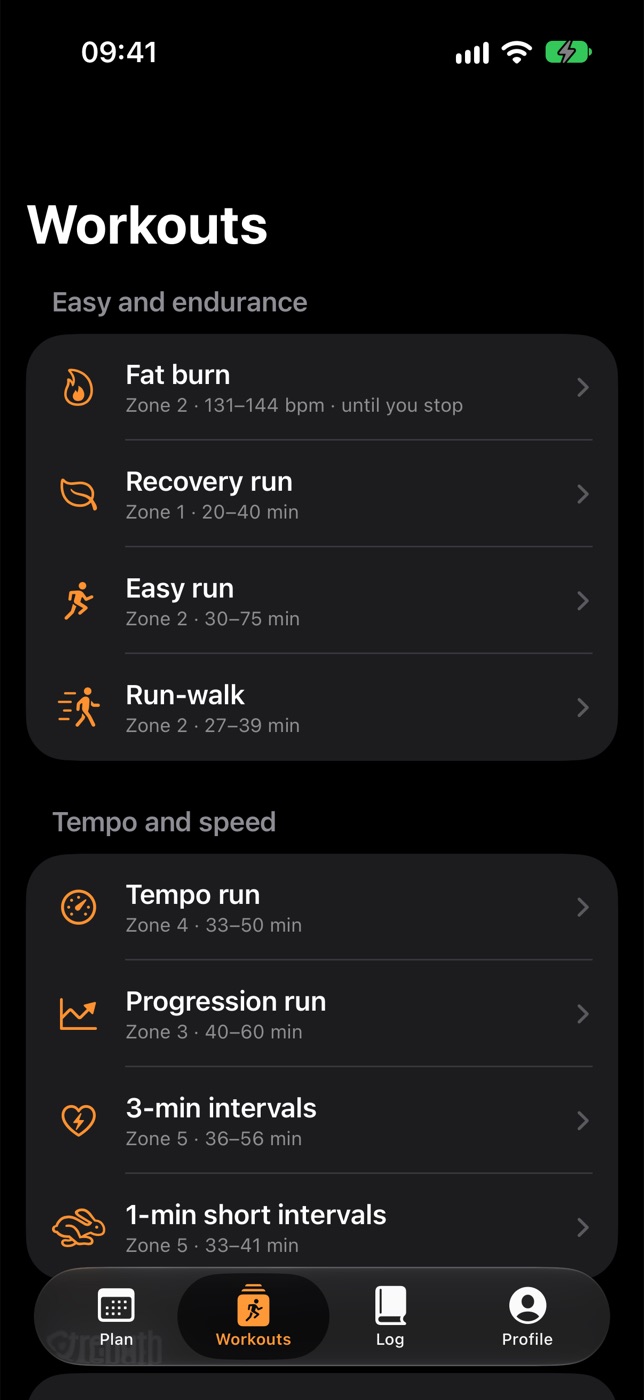
Zin in iets anders? Vetverbranding, een tempoloop, intervallen of heuvels, met tempo's die bij jou passen.

Fancy something else? Fat burn, a tempo run, intervals or hills, with paces that fit you.

Op de loopband

On the treadmill

Verbind je loopband via Bluetooth en de app neemt de knoppen over. Jij loopt, de band volgt je schema.

Connect your treadmill over Bluetooth and the app takes over the buttons. You run, the treadmill follows your plan.

  • Snelheid en helling per blok, vanzelf ingesteld (Bluetooth FTMS)
  • Rustige blokken op hartslag: de band houdt je in je zone
  • Zelf de band bijgesteld? Dan blijft dat staan tot het volgende blok
  • Valt de verbinding weg, dan verbindt de app vanzelf opnieuw
  • Geen band bij de hand? Probeer alles met de demo-loopband
  • Speed and incline set for every block (Bluetooth FTMS)
  • Easy blocks by heart rate: the treadmill keeps you in your zone
  • Changed the treadmill yourself? That stays until the next block
  • If the connection drops, the app reconnects by itself
  • No treadmill to hand? Try everything with the demo treadmill
Loopmaat op de iPhonePaceling on iPhone

Tijdens het lopen

During your run

Alles wat je onderweg moet weten, groot in beeld of in je oor.

Everything you need to know on the way, big on screen or in your ear.

πŸ“±

Groot dashboard

Big dashboard

Liggend op de loopband, met grote cijfers. Op het binnenscherm van de iPhone Duo met blokken, tussentijden, hartslagverloop, tijd per zone en cadans.

In landscape on the treadmill, with big numbers. On the iPhone Duo's inner display with blocks, splits, heart rate graph, time in zones and cadence.

πŸ”Š

Een stem in je oor

A voice in your ear

Hoor welk blok begint, een seintje vlak voor het einde en of je te snel of te langzaam gaat. Je muziek wordt even zachter.

Hear which block starts, a heads-up just before it ends and whether you're too fast or too slow. Your music dips for a moment.

πŸ”’

Live Activity

Live Activity

Je tempo, doeltempo, blok en afstand op je vergrendelscherm en in het Dynamic Island.

Your pace, target pace, block and distance on your Lock Screen and in the Dynamic Island.

πŸ—ΊοΈ

Ook buiten

Outdoors too

Buiten meten je Watch of iPhone afstand, tempo en hoogte, en na afloop zie je je route op de kaart.

Outdoors your watch or iPhone measures distance, pace and elevation, and afterwards you see your route on the map.

πŸŽ™οΈ

Handen vrij met Siri

Hands-free with Siri

Pauzeer, sla een blok over of zet de band sneller of langzamer met je stem.

Pause, skip a block or make the treadmill faster or slower with your voice.

πŸ’“

Hartslagherstel

Heart rate recovery

Na het stoppen meet de app hoeveel je hartslag in de eerste minuut daalt. Trager dan normaal kan op vermoeidheid wijzen.

After you stop, the app measures how much your heart rate drops in the first minute. Slower than usual can point to fatigue.

Op tempo zonder te kijken

On pace without looking

Je Apple Watch meet je hartslag en tempo en laat met een tik op je pols weten hoe je ervoor staat. Start vanaf je iPhone of gewoon op je Watch: je volgende training uit het schema, buiten of op de loopband, of een vrije loop. Je run komt daarna in Gezondheid, met hartslag, route en calorieΓ«n.

Your Apple Watch measures your heart rate and pace and tells you with a tap on your wrist how you're doing. Start from your iPhone or right on your watch: the next workout from your plan, outdoors or on the treadmill, or a free run. Your run then goes to Health, with heart rate, route and calories.

Te langzaamToo slow

Twee tikken omhoog: versnellen.

Two taps up: speed up.

Op tempoOn pace

Weer goed na een seintje? Dan voel je één bevestigende tik.

Back on target after a nudge? You feel one confirming tap.

Te snelToo fast

Twee tikken omlaag: rustiger aan.

Two taps down: ease off.

Voortgang

Progress

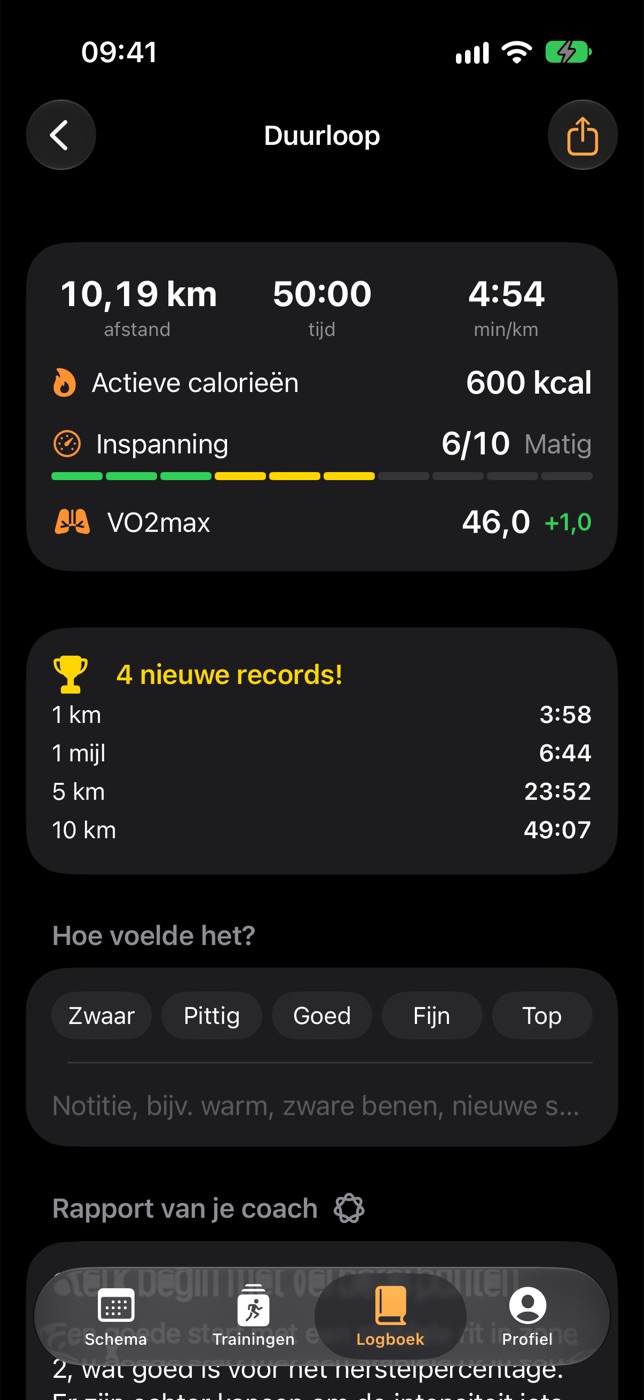
Na elke run weet je wat goed ging en waar je de volgende keer op let.

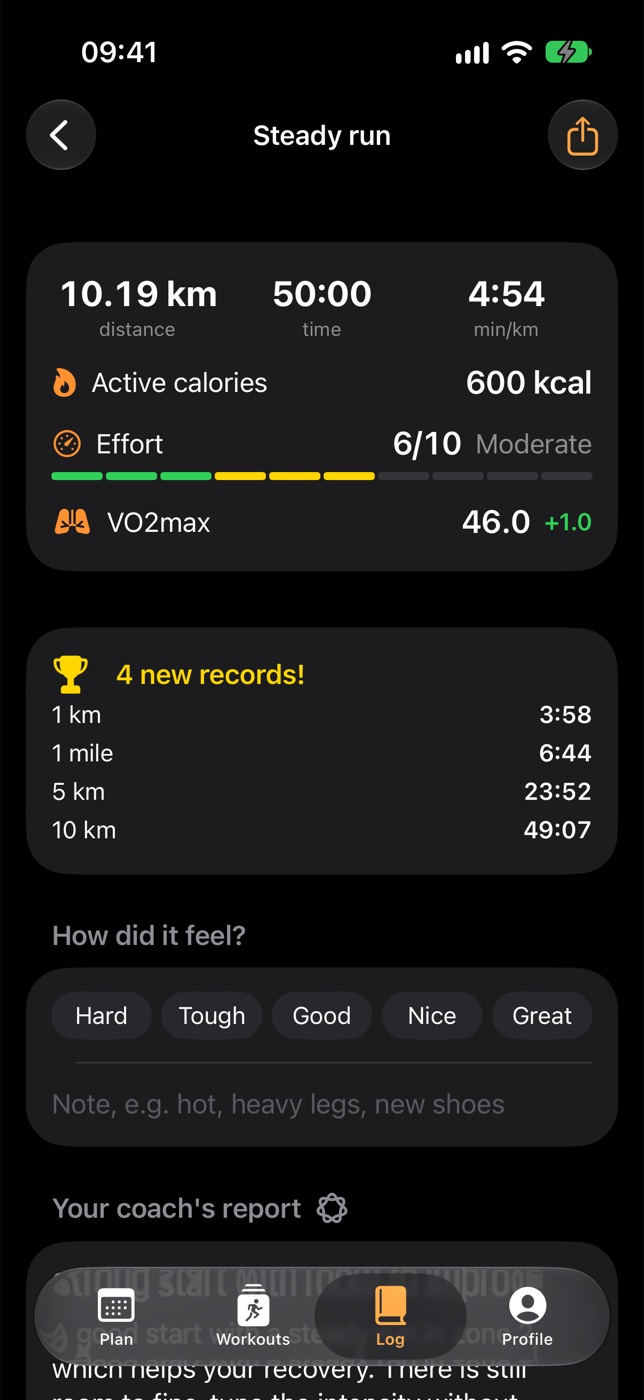
After every run you know what went well and what to focus on next time.

πŸ“‹

Rapport van de coach

Coach report

Wat goed ging, wat beter kan en je focus voor de volgende keer. Met tussentijden, tijd per zone en je hartslag.

What went well, what to improve and your focus for next time. With splits, time in zones and your heart rate.

πŸ†

Records

Records

Je snelste 1 km, mijl, 5 km, 10 km, halve en hele marathon, ook als deel van een langere run. Plus je langste run en de meeste hoogtemeters.

Your fastest 1K, mile, 5K, 10K, half and full marathon, also within a longer run. Plus your longest run and most elevation.

πŸ“ˆ

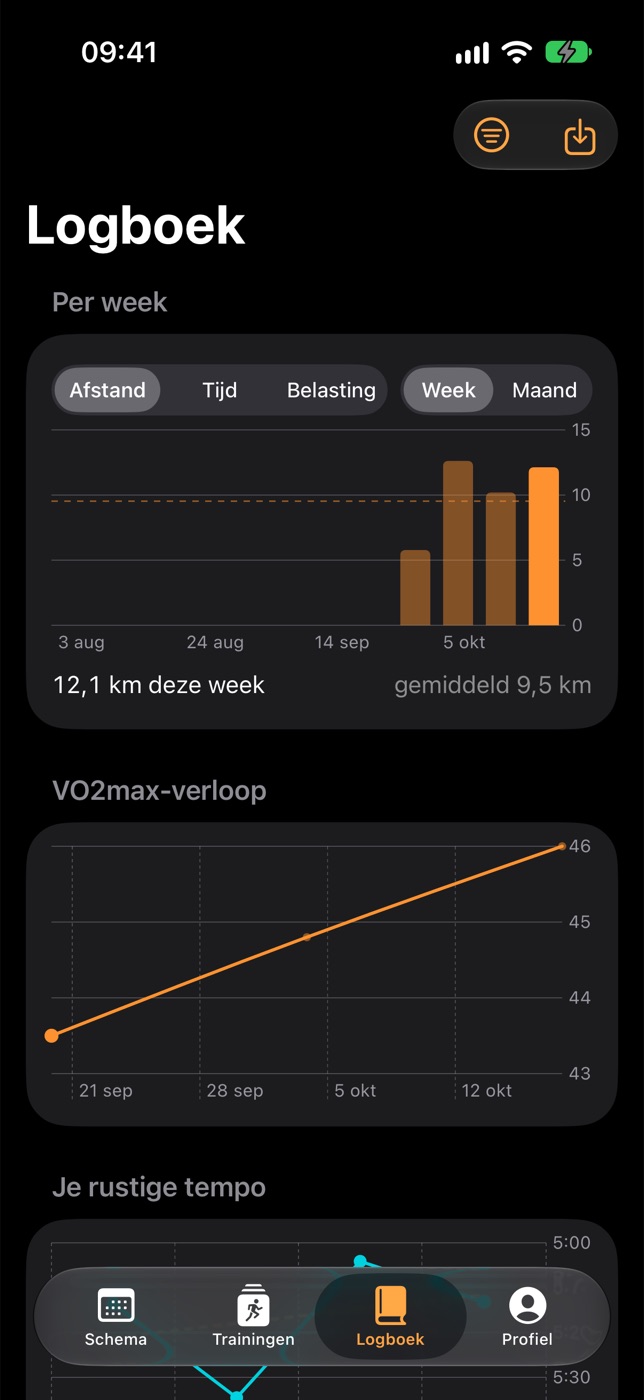
VO2max

VO2max

Na je runs werkt de app je VO2max bij, of neemt hij de meting van je Apple Watch over. Je tempo's en voorspelde tijden gaan mee.

After your runs the app updates your VO2max, or takes over your Apple Watch's reading. Your paces and predicted times follow along.

πŸŒ™

Herstel

Recovery

Met je hartslagvariabiliteit, slaap en rusthartslag uit Apple Gezondheid stelt de coach op een vermoeide dag een rustigere training voor.

Using your heart rate variability, sleep and resting heart rate from Apple Health, the coach suggests an easier workout on a tired day.

πŸ“…

Weekoverzicht

Weekly summary

Zondag om 19:00 vat de coach je week samen: wat je liep en waar het volgende week om draait.

On Sunday at 7 PM the coach sums up your week: what you ran and what next week is about.

🧩

Widgets en Siri

Widgets and Siri

Je volgende training, je week en je doel op je beginscherm, en je volgende training op je Watch. Zeg "Start mijn training in Loopmaat" en je gaat.

Your next workout, your week and your goal on your Home Screen, and your next workout on your watch. Say "Start my workout in Paceling" and you're off.
Gebaseerd op bewezen methodes

Built on proven methods

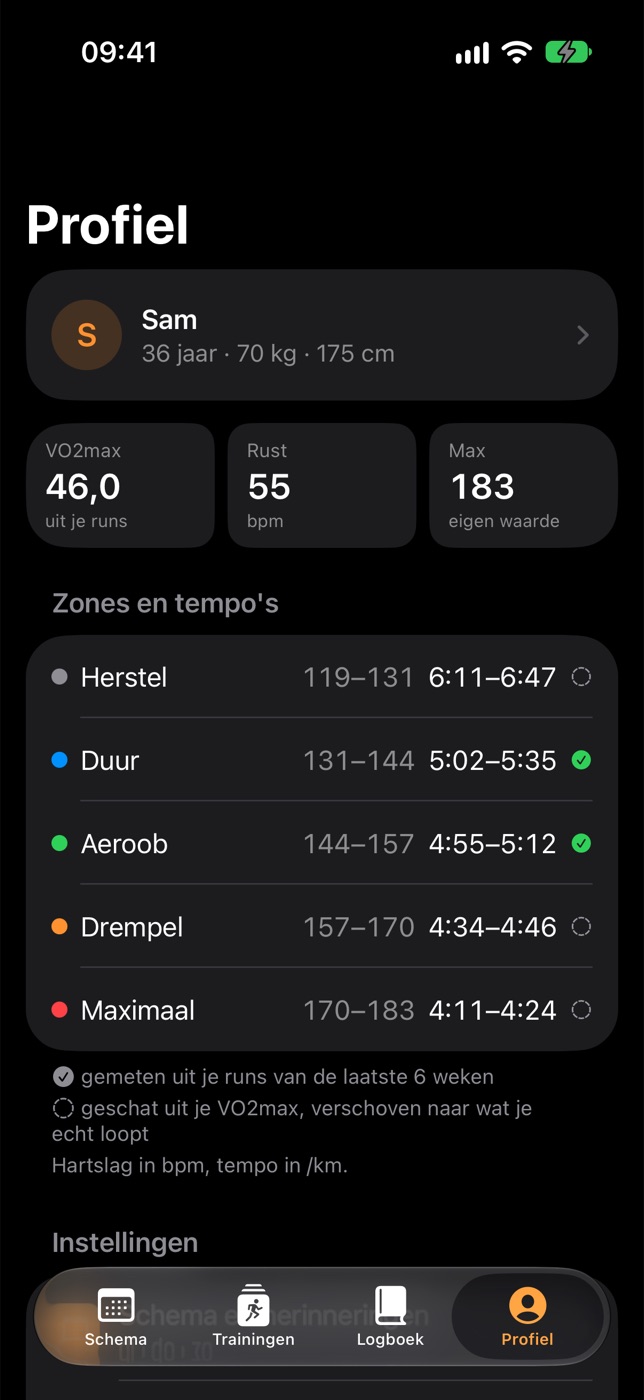
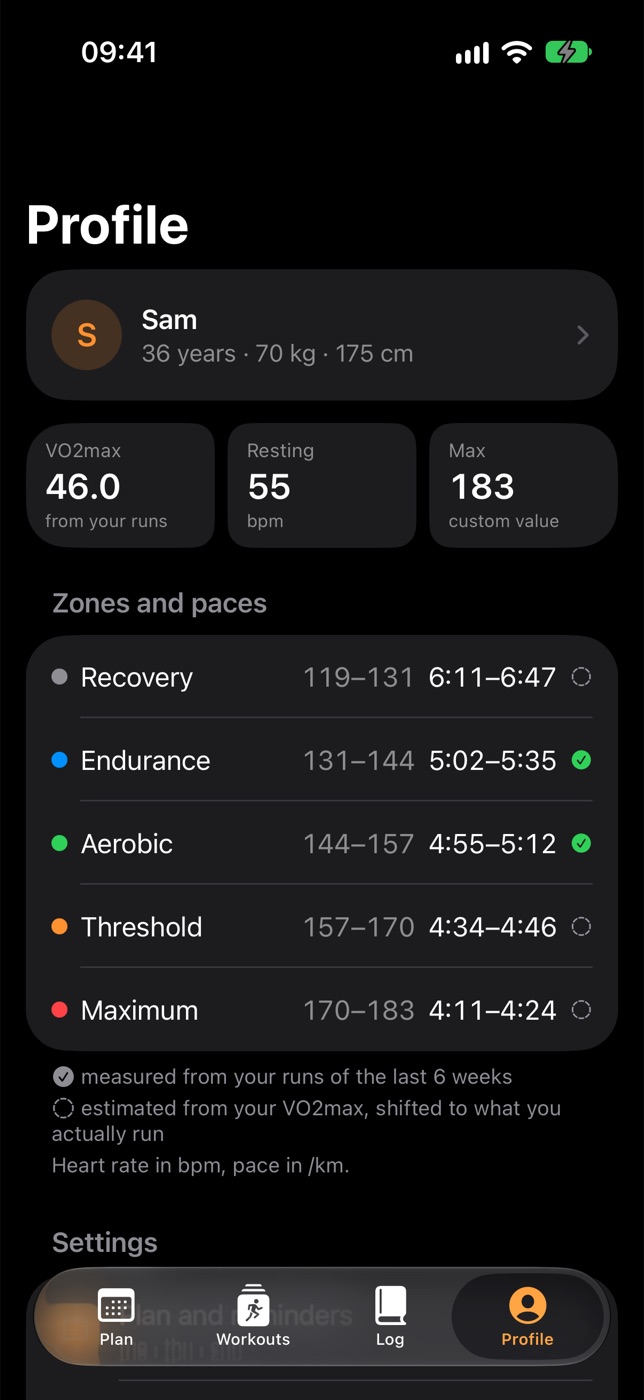
Je tempo's en zones komen niet uit de lucht vallen, maar uit je eigen VO2max en hartslag.

Your paces and zones don't come out of thin air, but from your own VO2max and heart rate.

VDOT

Je trainingstempo's en voorspelde tijden komen uit je VO2max, met de methode van Jack Daniels.

Your training paces and predicted times come from your VO2max, using Jack Daniels' method.

Karvonen

Je hartslagzones uit je rust- en maximale hartslag, zodat ze bij jouw hart passen.

Your heart rate zones from your resting and maximum heart rate, so they fit your heart.

0,3–1%0.3–1%

per week groeit je conditie realistisch gezien. Daarmee toetst de app of je doel haalbaar is.

per week is how fast fitness realistically grows. The app uses it to check whether your goal is within reach.

Je gegevens blijven van jou

Your data stays yours

In km of mijlen, in het Nederlands of Engels. Geen account, geen advertenties: je gegevens blijven op je iPhone, je Apple Watch en in je eigen iCloud.

In kilometres or miles, in English or Dutch. No account, no ads: your data stays on your iPhone, your Apple Watch and in your own iCloud.

Geen accountNo account

Geen eigen server, geen tracking, advertenties of analysediensten.

No servers of our own, no tracking, ads or analytics.

Je eigen iCloudYour own iCloud

Je schema en logboek staan in je privΓ©-iCloud. Alleen jij kunt erbij.

Your plan and log are kept in your private iCloud. Only you can get to them.

Coach op je iPhoneCoach on your iPhone

Apple Intelligence werkt op je iPhone zelf.

Apple Intelligence works on your iPhone itself.

Zo ziet het eruit

Take a look

Loopmaat op de iPhone
Paceling on iPhone
Paceling on iPhone
Paceling on iPhone
Paceling on iPhone
Paceling on iPhone